
Table Clipboard
Webページ上の表をクリックしてサイドパネルにストックし、CSVやMarkdown等で一括ダウンロードできるChrome拡張機能です。
A Chrome extension that lets you collect web tables with a click and export them in CSV, TXT, or Markdown formats.
🖱️ ワンクリックで表をストック / Click to Collect Tables
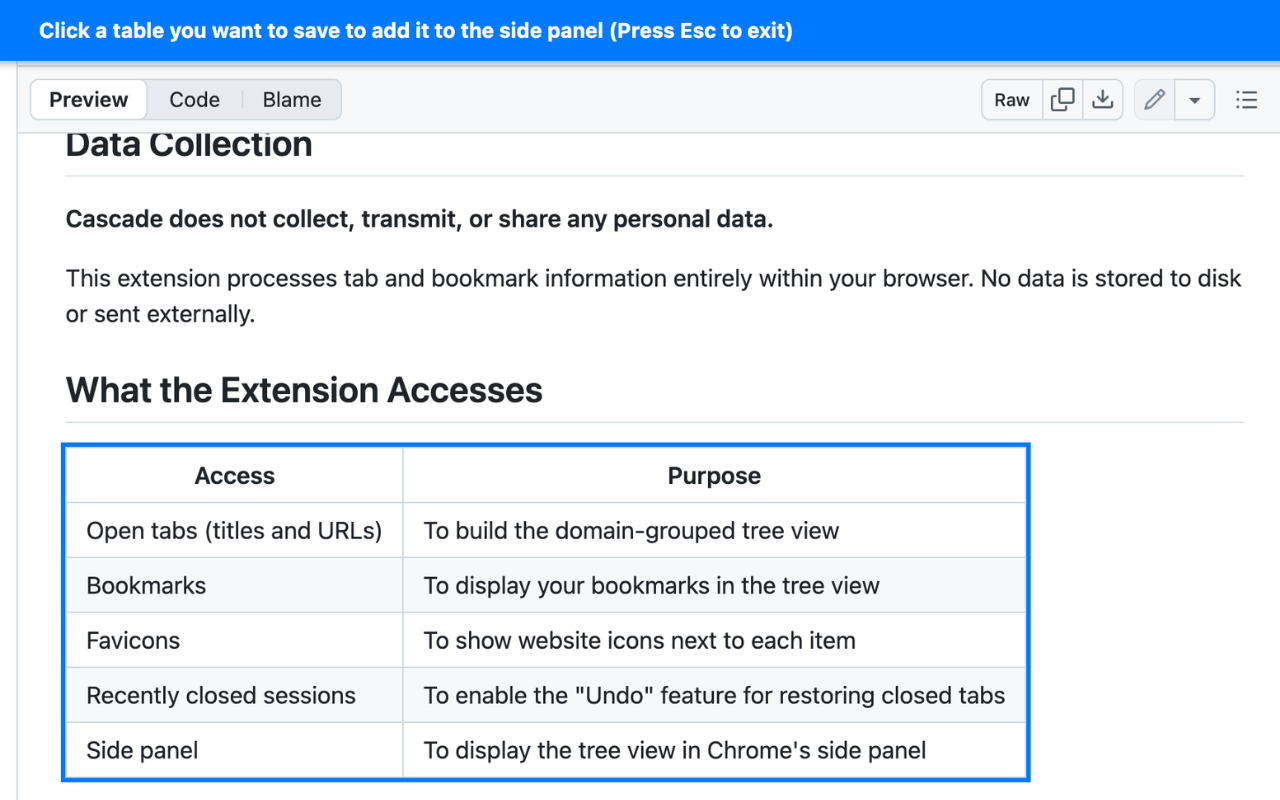
拡張機能からボタンを押すと、ページ内の表が青枠でハイライトされます。
保存したい表をクリックするだけで、サイドパネルにどんどん追加されていきます。
ページ内に埋め込まれた iframe 内の表の取得にも対応しています。
Click the button in the extension, and tables on the current page will be highlighted with a blue outline. Just click a table to add it to the side panel. It also supports extracting tables inside iframes.
📥 3種類の形式でエクスポート / Export in 3 Formats
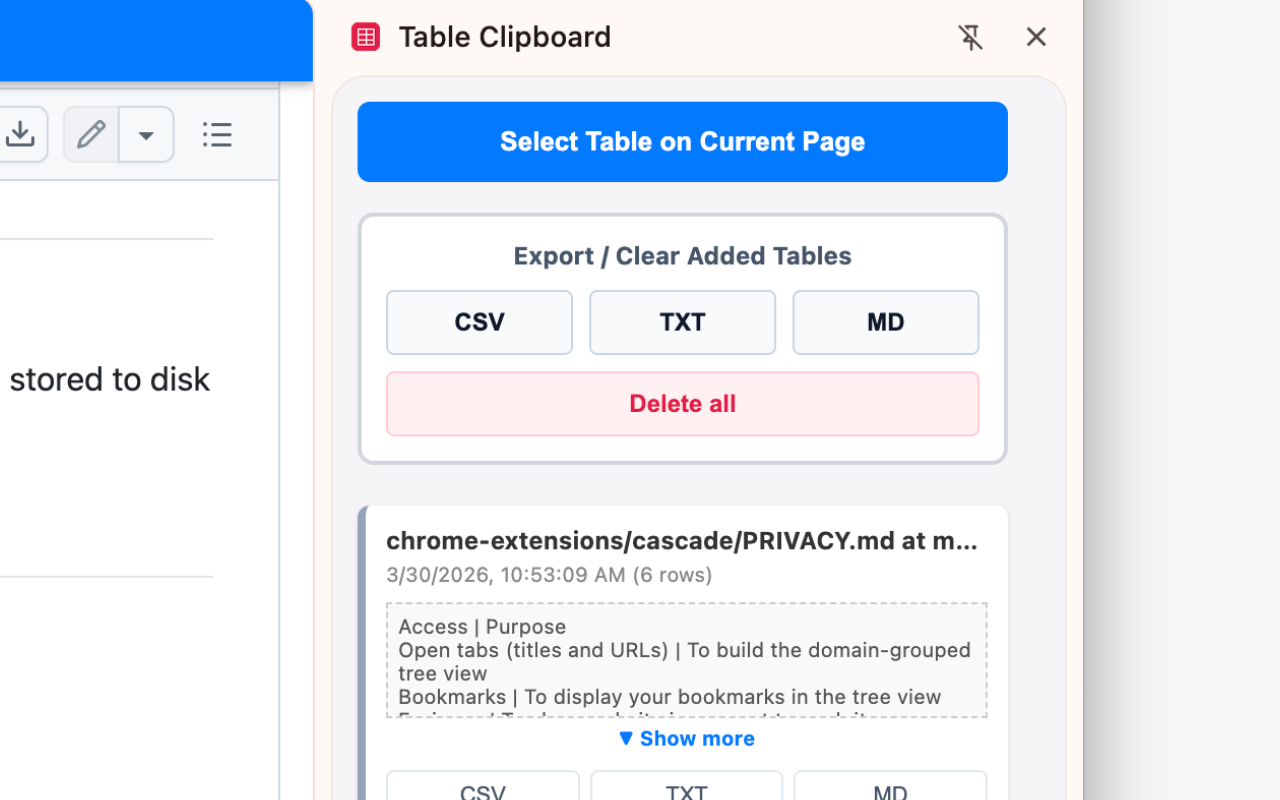
ストックした表データは、用途に合わせてCSV、TXT(タブ区切り)、MD(Markdown)のいずれかの形式で出力できます。
まとめてZIPファイルで一括ダウンロードすることも、個別にダウンロードすることも可能です。
Export your collected tables in CSV, TXT (tab-separated), or MD (Markdown) formats depending on your needs. You can download them all at once as a ZIP file, or download them individually.
⚙️ その他の機能 / More features
ページ横断のデータ保持 / Cross-page collection
- 保存した表(最大30件)はローカルストレージに保持されるため、別のページに移動しても消えません。
- Collected tables (up to 30) are saved in local storage, so they won't disappear even if you navigate to another page.
リアルタイムプレビュー / Real-time preview
- サイドパネル上で、取得した表のデータをすぐに確認できます。
- Instantly preview the extracted table data right inside the side panel.