Cascade: Tab & Bookmark Organiser
タブとブックマークをドメインごとにまとめて表示するChrome拡張機能です。
A Chrome extension that groups your tabs and bookmarks by domain in a clean tree view.
🌳 ドメイン別ツリー表示 / Grouped by domain
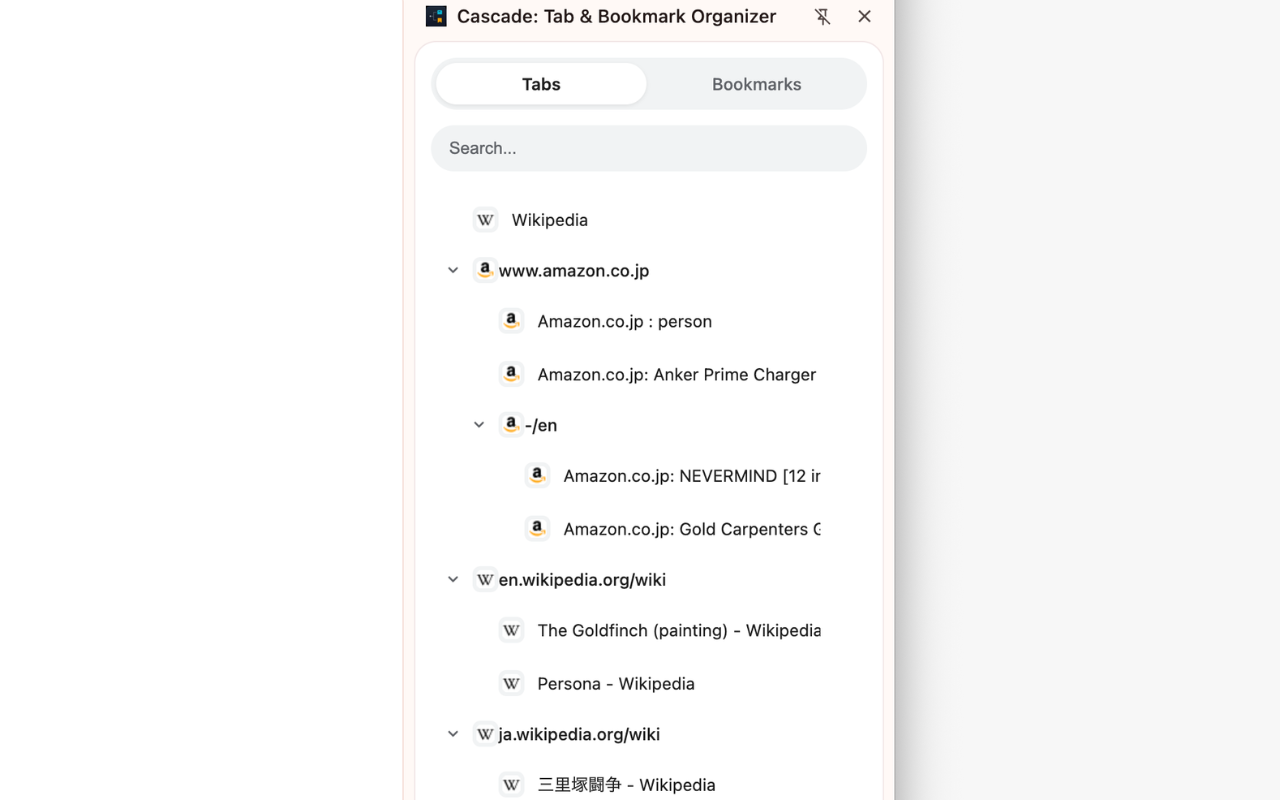
タブやブックマークを、ドメインごとにまとめてサイドパネルに表示します。
階層が深いページもツリーで整理されるので、どこに何があるかすぐにわかります。
上部のボタンでタブとブックマークを切り替えられます。
Tabs and bookmarks are automatically grouped by domain and displayed as a tree in the side panel. Deep URL paths are organised hierarchically, and folders can be expanded or collapsed with a click. Switch between Tabs and Bookmarks with the buttons at the top.
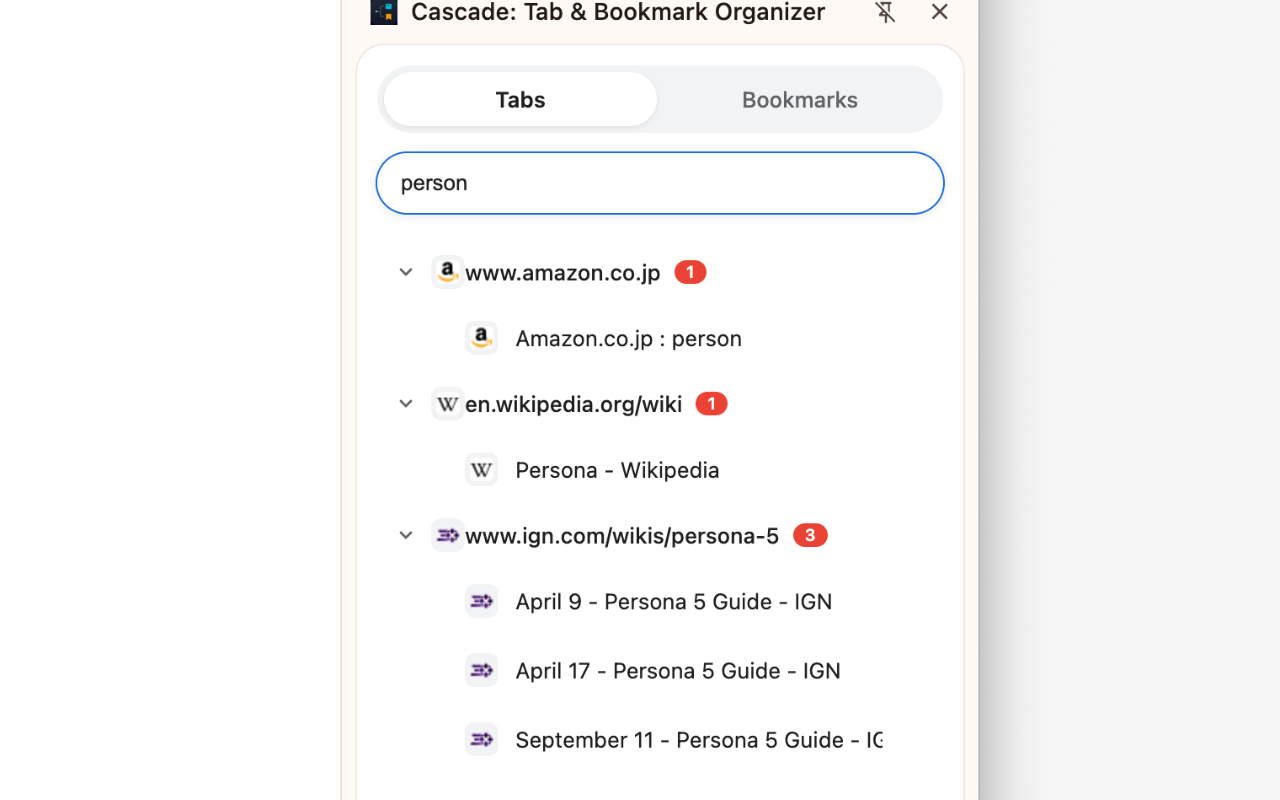
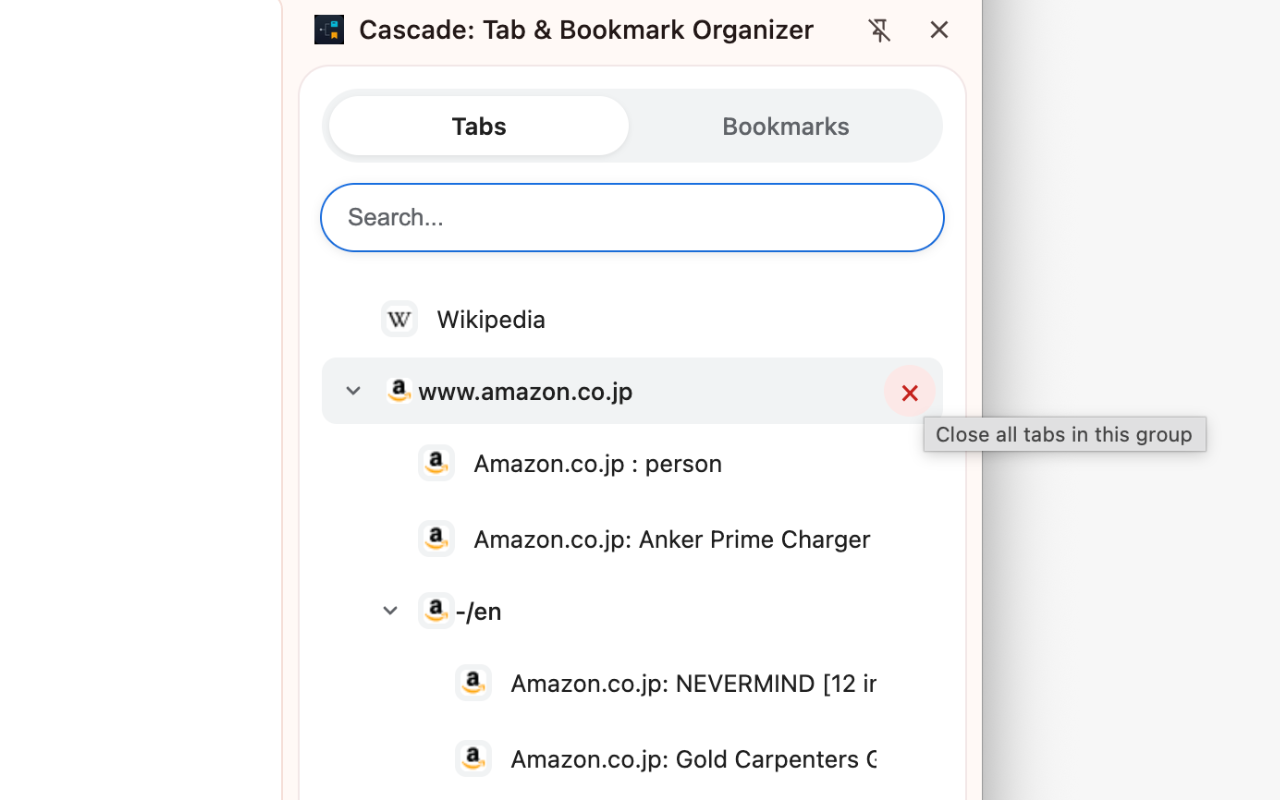
⚙️ その他の機能 / More features
右クリックメニュー / Right-click menu
- URLをコピー、タブのピン留め/解除、タブを閉じる、新しいタブで開く、シークレットウィンドウで開く
- Copy URL, pin/unpin tab, close tab, open in new tab, open in incognito window
キーボード操作 / Keyboard navigation
- ↑↓で項目移動、←→でフォルダ開閉、Enterでタブ切り替え、Delete/Backspaceでタブを閉じる
- ↑↓ to navigate, ←→ to expand/collapse, Enter to switch tab, Delete/Backspace to close tab